
 0918006093
 Tin tức
 Khuyến mãi
 IPHONE
 IPAD
IPAD


Video review sản phẩm: SONOS SUBWOOFER

Th1
Video review sản phẩm: SONOS SUBWOOFER
Mua ngay: SONOS SUBWOOFER
Chi tiết như dưới đây: [yotuwp type=”videos” id=”xm5sp8YOujQ,7VWzlHp6qQc,NrA57Mpz8rU,dHh4y5U4bLM,-CLCF4q0wLQ,xVU84bU7Emk,M_8e-x54NTA,wW540lxE8fg,BFq1J7KkpjE,lPDrfxH875g,abH5wPkm6nI,CAuoo2RE6sk,-gRqJB91Evk,SuEAz_rA1QU,vIizhtu70Bo,srJi1yc4-sM,Bt3Ly_MBJnU,vNQLC3AKPpE,JVUNjH1CL_s,3PZxZpC-bOQ,” ]
Hình ảnh sản phẩm:


Thông tin sản phẩm:
Product Description

What’s in the Box
- Sonos SUB Wireless Subwoofer
- AC Power Cord
- Quickstart Guide
Sonos Wireless Subwoofer
SUB
Soul-shaking sound for your Sonos System
Add a new dimension of deep, bottomless sound to your Sonos PLAYBAR that lets you hear the crush of every action sequence and the shred of every power chord. You won’t just hear the difference SUB makes–you’ll feel it in your bones.
Add a BRIDGE (sold separately) to combine your SUB with a PLAYBAR and a pair of PLAY:1s or PLAY:3s and you’ve got immersive 5.1 sound. And with it? The power to play anything and make it sound amazing.
SUB works with all other Sonos amplified components to add face-melting bass to your favorite songs in any room: CONNECT:AMP, PLAY:5, PLAY:3, and PLAY:1.
Easy to Setup
|
|
|
|
|
|---|---|---|---|
|
Get the Sonos AppConnect to your home WiFi network using the free Sonos app. |
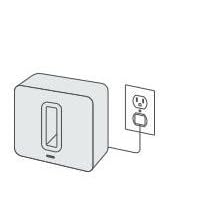
Plug in your SUBPlug the SUB in to the nearest power outlet. |
Add the SUB to SonosChoose a controller and select ‘add a sonos component’ in the Settings menu. When prompted, press and release the JOIN button to add the SUB to your Sonos Wireless HiFi System. |
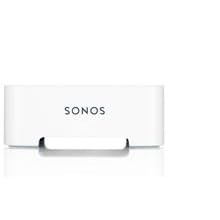
Add a BRIDGEIf you’re pairing SUB to a PLAYBAR you’ll need a BRIDGE connected to your router. |


What is Sonos?
|
|
|
|
|
|---|---|---|---|
|
Go wireless.Set up Sonos with the push of a button. The unique technology from Sonos brings your entire home audio system together on your home WiFi or over a dedicated wireless network. The end result? Unrivaled performance and zero drop-outs. |
Imagine a speaker for every room.Sonos wireless speakers are custom designed for every space in your home. From the compact PLAY:1 to the TV-compatible PLAYBAR, the Sonos line-up fills any room with crystal clear HiFi sound at any volume. |
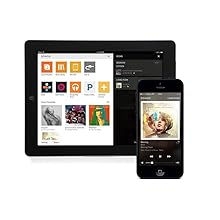
Control every room, from any device.The ‘Sonos Controller App’ lets you browse and play your music from any device. Use your smartphone, tablet, or computer to stream different songs in each room, group rooms together, or hear the same beat everywhere. |
All your music, all together.Play your iTunes library, listen to your online music services, and get access to thousands of free radio stations worldwide. |




Create your perfect home theater system
Start with a PLAYBAR
With nine speakers under the hood, PLAYBAR is designed to cast the widest possible soundstage. It’s perfect for movies, TV shows, games, and your entire music collection.
Add a SUB
Because of SUB’s force-cancelling design, nothing gets lost in cabinet buzz or rattle. You’ll feel the crush of every action sequence and the shred of every power chord.
Get Surrounded
Complete your home theater with a PLAY:1 or PLAY:3 pair as rear speakers. They’ll deliver deep, richly textured sound, and your movies and music will thank you.
class=”apm-rightthirdcol” style=”float:right;width:230px;padding-left:30px;margin-left:30px;border-left-width:1px;border-left-style:solid;border-left-color:rgb(221,221,221);”>
Rock your home theater
- Bring full-theater HiFi sound to your TV with PLAYBAR
- Go from streaming radio to Spotify to iTunes to everything else you love
- PLAYBAR connects to your TV with a single optical cable, making set-up quick and easy
Rock solid wireless
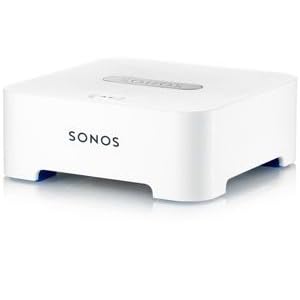
The Sonos BRIDGE lets you wirelessly connect your SUB to a PLAYBAR and PLAY:1 or PLAY:3 rear speakers for an immersive 5.1 surround sound experience that’s simple to set up and control.
The dedicated Sonos network is required for expanding your home theater because it ensures incredibly low latency between PLAYBAR and SUB or rear speakers. With a BRIDGE, you don’t experience any lip-sync delays when you’re watching your favorite TV shows or movies.