0918006093
 Tin tức
 Khuyến mãi
 IPHONE
 IPAD
IPAD


Tải về tệp DA đã được kiểm tra cho Redmi Note 10s
Th1
Tải xuống tập tin DA Redmi Note 10s đã được kiểm tra
Tải xuống Redmi Note 10s MTK Secure boot DA File:
Tệp Redmi Note 10s đã được kiểm tra DA (Download agent) hiện đã có sẵn để tải xuống & bạn có thể tải xuống nó từ bên dưới. Tệp đã được kiểm tra & hoạt động với CM2, SP Flash tool, Miracle box và NCK box.
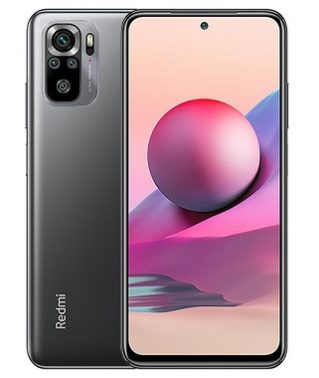
Redmi Note 10s chạy trên Android 11 & được trang bị bởi bộ xử lý Mediatek helio G95. Điện thoại này là điện thoại thông minh 2 SIM (GSM) hỗ trợ thẻ Nano-SIM. Tùy chọn kết nối bao gồm Wi-Fi GPS bluetooth USB OTG FM 3G & 4G. Điện thoại có 6GB RAM và 128GB bộ nhớ có thể mở rộng qua thẻ SD.
Tại sao tôi cần một tệp MTK Secure Boot DA File?
Nếu bạn cố gắng flash các thiết bị MTK có khởi động an toàn với SP Flash tool thì bạn sẽ gặp phải Lỗi xác thực hoặc Lỗi Buffer. Trong các hộp như CM2, NCK hoặc Miracle, bạn sẽ gặp phải lỗi Secure Boot! Để flash các thiết bị như vậy, bạn sẽ cần một tệp DA Secure Boot. Nó cũng hữu ích khi cố gắng bỏ qua tính năng Factory Reset Protection (FRP)
Liên kết tải về:
Redmi Note 10s DA file: Download
Trước khi sử dụng tệp, trước tiên bạn phải tắt xác thực SLA bằng cách làm theo hướng dẫn này
Cách sử dụng Redmi Note 10s MTK DA File:
Với NCK Box:
– Mở NCK và nhấp vào FRP-PATTERN-PRIVACY-RESET
– Nhấp vào chọn custom loader
– Di chuyển đến tập tin DA và chọn DA bạn muốn sử dụng.
– Nhấp vào (FM) Reset FRP / (FM) có nghĩa là Flash Mode
Cách sử dụng với SP Flash tools:
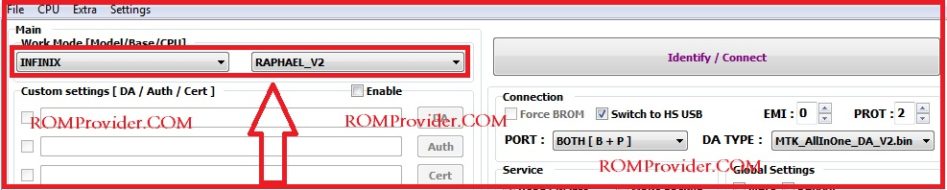
– Trong SP Flash tools , bạn có thể chọn DA File trong tab Main của công cụ.
Cách sử dụng với CM2:
– Tải xuống và giải nén Tệp Da File
– Di Chuyển tệp đã Tải về vào thư mục CM2/boot files, Bây giờ bạn có thể sử dụng nó trong CM2
Download Redmi Note 10s MTK Secure boot DA File:
Redmi Note 10s tested DA File (Download agent) Now available for download & You can download it from below. The file tested & working with CM2, SP Flash tool, Miracle box and NCK box.
Redmi Note 10s Run on Android 11 & it is Powered by Mediatek helio G95 Processor. it is a dual SIM (GSM) smartphone that support Nano-SIM cards. connectivity options Include Wi-Fi GPS bluetooth USB OTG FM 3G & 4G. The device come with 6GB of RAM and 128GB of storage that can be expandable via SD card.
Why would I Need an MTK Secure Boot DA File?
If you try flashing MTK devices which have secure boot with SP Flash tool then you’ll run into Authentication or Buffer Errors . In boxes like CM2, NCK or Miracle, You’ll encounter a Secure Boot! error, To flash such devices, You’ll need a Secure Boot DA file. It’ll also come in handy when trying to bypass factory Reset Protection (FRP)
Download Links:
- Redmi Note 10s DA file: Download
- before using the file first you have to disable SLA authentication by following this guide
How to use Redmi Note 10s MTK DA File:
With NCK Box:
- Open NCK and Click on FRP-PATTERN-PRIVACY-RESET
- Click select custom loader
- navigate to your DA file and select the DA you wanted to use.
- Click on (FM) Reset FRP / (FM) Means Flash Mode
-
- Open NCK Loader
- Click on settings
- Navigate to your DA file and select the DA you wanted to use.
- back to service Tab
- click Reset FRP
With SP Flash tools:
- In SP Flash tools You can select DA File in the Main tab of the tool.

How to use with CM2:
- Download & extracted Da File
- Now Move Downloaded File in CM2/boot files directory, Now You can use it in CM2