
 0918006093
 Tin tức
 Khuyến mãi
 IPHONE
 IPAD
IPAD


Làm thế nào để vượt qua FRP trên Archos Core 60S: Bí quyết tiết lộ!
Th12
Cách Bỏ Qua FRP trên Archos Core 60S
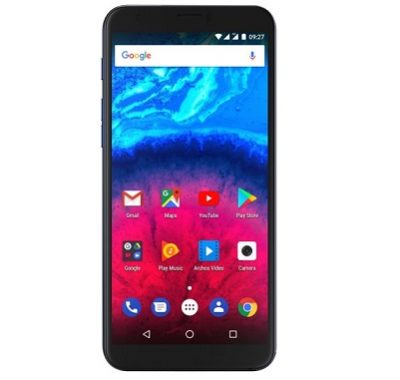
Bạn sở hữu điện thoại thông minh Archos Core 60S và gặp sự cố liên quan đến tài khoản FRP/Gmail? Bạn không cần phải lo lắng nữa vì ở đây có cách giải quyết cho bạn! Bài viết sau sẽ hướng dẫn bạn từng bước để reset hoặc bỏ qua FRP trên Archos Core 60S một cách dễ dàng.
Archos Core 60S sử dụng hệ điều hành Android 7.0 và được trang bị bộ xử lý Spreadtrum 9850. Điện thoại này hỗ trợ 2 thẻ SIM và các kết nối như 3G, GPS, Wi-Fi, Bluetooth, cũng như cảm biến Goryo Proximity Gravity.
Thiết bị này có 2GB RAM và bộ nhớ trong 16GB có thể mở rộng bằng thẻ nhớ SD.
FRP (Factory Reset Protection) là tính năng bảo mật trên thiết bị Android từ phiên bản 5.1 trở lên. Khi FRP được kích hoạt, nó ngăn chặn người dùng sử dụng thiết bị sau khi reset dữ liệu nhà máy, cho đến khi bạn đăng nhập bằng tài khoản Google.
Vui lòng chú ý:
1. Mọi dữ liệu sẽ bị xoá khi mở khóa bootloader, vì vậy hãy sao lưu dữ liệu cá nhân của bạn.
2. Chúng tôi không chịu trách nhiệm về bất kỳ hỏng hóc, bootloop hoặc thẻ SD bị hỏng nào.
3. Đảm bảo thiết bị có ít nhất 50% pin trong quá trình thực hiện để tránh tình trạng tắt máy không đúng cách.
Bài viết còn cung cấp link tải công cụ reset FRP cho Archos Core 60S và firmware (tùy chọn). Bạn cũng sẽ thấy các bước chi tiết để bypass FRP trên thiết bị này.
Đừng lo lắng, chỉ cần thành công thực hiện đúng theo hướng dẫn trên, bạn sẽ giải quyết được vấn đề một cách dễ dàng.

Reset FRP/Google account on Archos Core 60S:
Step by Step Guide to bypass FRP on Archos Core 60S. if You own Archos Core 60S Smartphone having FRP/Gmail account issue then this is the Correct Place For You Where You Will Find a Working Guide to Reset or bypsss FRP on Archos Core 60S.
The Archos Core 60S Run On Android 7.0 OS Which is Powered By Spreadtrum 9850 Processor. it is a Dual SIM Smartphone that accept 2 Nano SIM card, Connectivity Option’s Include 3G GPS, Wi Fi, Bluetooth etc. Sensor include Goryo Proximity Gravity etc.
The Device come With 2GB of RAM and 16GB of Internal Storage can be expandable via SD card.
What is FRP/Factory Reset Protection:
Factory Reset Protection (FRP), is a security feature on Android devices with Lollipop 5.1 and higher. FRP is automatically activated when you set up a Google™ Account on Your device. Once FRP is activated, it prevents use of a device after a factory data reset, until you log in using a Google username.
Note-
1. unlocking the bootloader Will Erase all Your data So Make Sure You have a backup of Your Personal Data. Like Contact Msg’s etc.
2. Please do Carefully, We are not Responsible for any damage, bootloop, or dead SD card’s.
3. Ensure that Your device at-least 50% charge During Process. to Stop the Accidentally Shut Down.
Download-
- FRP Reset tool for Archos Core 60S Here
- Firmware Archos Core 60S (optional) Here
Steps to Bypass FRP on Archos Core 60S-
1. Install Driver from Provided Folder
2. Run Reset FRP.exe file.
3. Reboot Your Phone to bootloader by holding Volume Down and Power button.
4. then Connect Phone to PC.
5. type 2 & hit enter to Reset FRP. Done. Make Sure all Driver are installed properly otherwise You can see waiting For Devices.)
Related articles-