
 0918006093
 Tin tức
 Khuyến mãi
 IPHONE
 IPAD
IPAD


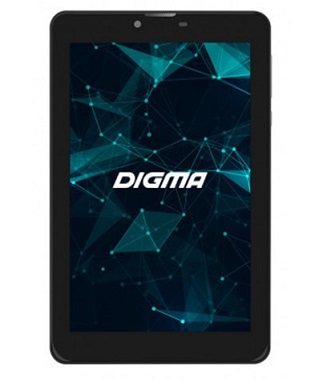
Cách cài đặt Firmware gốc trên Digma 7587 3G
Th1
Cách cài đặt Firmware gốc trên Digma 7587 3G
Tải xuống Firmware/Flash File cho Digma 7587 3G:
Firmware chính thức Flash File đã có sẵn cho Digma 7587 3G & Bây giờ bạn có thể Tải xuống nó từ phía dưới. Firmware chính thức cho Digma 7587 3G sẽ giúp bạn Khôi phục thiết bị bị lỗi.
Digma 7587 3G Chạy trên hệ điều hành android 9.0 & được trang bị Bộ xử lý Mediatek MT8321. Đây là một chiếc điện thoại thông minh Dual SIM (GSM) Hỗ trợ thẻ Nano-SIM, Tùy chọn kết nối bao gồm Wi-Fi, GPS, Bluetooth, USB OTG, FM, 3G.
Thiết bị đi kèm với 2GB RAM và 16GB bộ nhớ có thể mở rộng qua thẻ SD. Ở phần camera, nó đi kèm với camera sau 2MP và camera trước 0.3MP.
Lưu ý:
- Bắt buộc sao lưu NVRAM bằng cách này
- Vui lòng làm cẩn thận, chúng tôi không chịu trách nhiệm với bất kỳ thiệt hại nào cho thiết bị của bạn.
- Flashing ROM sẽ xóa tất cả dữ liệu cá nhân của bạn bao gồm Lưu trữ. Vì vậy chúng tôi khuyên Bạn nên Đầu tiên Tạo sao lưu đầy đủ của Điện thoại của Bạn.
- Đảm bảo rằng Thiết bị của Bạn có ít nhất là 50% Pin Trong Quá trình Flash để Tránh Tắt nguồn tình cờ.
Yêu cầu Cần thiết:
Thông tin Firmware:
Tên thiết bị: Digma 7587 3G
Loại: Full ROM
Kích thước: lên đến 1,01GB
SoC: Mediatek MT8321
Hệ điều hành: Android 9.0
Mật khẩu: Null
Quyền truy cập root: Not
Gapps: Included
Phiên bản Firmware: Citi_7587_cs7204mg_rev1_factory_20191220
Tải xuống:
Firmware :
Công cụ Flash:
Driver:
- Mediatek Preloader V-COM Driver: Tại đây
Cách cài đặt Firmware chính thức trên Digma 7587 3G:
- Giải nén firmware chính thức tải xuống.
- Cài đặt Mediatek VCOM driver trên Máy tính của bạn.
- Tải xuống & giải nén cuộc công cụ Flash trên máy tính của bạn
- Từ thư mục công cụ flash, chạy flash_tool.exe

- Đi đến tab Tải xuống Nhấp vào Click Scatter và tải tệp scatter từ thư mục ROM

- Chọn Download only. Nhấp vào Download & kết nối Điện thoại đã tắt của bạn với PC bằng cách nhấn phím âm lượng lên và xuống.

- Bạn có thể nhìn thấy quá trình Flashing trên màn hình. sau khi hoàn thành, rút ra & bật nguồn nó lên
Đọc thêm:
Nếu gặp vấn đề, hãy cho tôi biết qua bình luận
Download Stock Firmware/Flash File For Digma 7587 3G:
Official Stock Firmware Flash File have now been available for the Digma 7587 3G & Now You can Download it From Below. Official Stock Firmware for Digma 7587 3G Will help You to Restore Your Bricked device.
Digma 7587 3G Run on android 9.0 & it is Powered by Mediatek MT8321 Processor. it is a Dual SIM (GSM) Smartphone Support Nano-SIM Card’s, Connectivity options include Wi-Fi, GPS, Bluetooth, USB OTG, FM, 3G.
The Device come with 2GB of RAM and 16GB of Storage can be expandable via SD card. in camera Department it come with 2MP Rear camera With 0.3MP Front Shooter.
Note:
- Must backup NVRAM using this Guide
- Please Do carefully, we are not Responsible for any damage to Your device.
- Flashing the ROM Will Erase all Your Personal Data Including Storage. So we advice You to First Make a Complete backup of Your Phone.
- Ensure that Your Device at-least 50% Charge During Flashing Process to Prevent accidental Shut Down.
Must Require:
Firmware Information:
Device Name: Digma 7587 3G
Type: Full ROM
Size: up to 1.01GB
SoC: Mediatek MT8321
Os: Android 9.0
Password: Null
Root access: Not
Gapps: Included
Firmware Version: Citi_7587_cs7204mg_rev1_factory_20191220
Downloads:
Firmware :
Flash Tools:
Driver:
- Mediatek Preloader V-COM Driver: Here
How to Install Stock Firmware on Digma 7587 3G:
- Extract downloaded stock firmware..
- Install Mediatek VCOM driver on Your computer.
- Download & extract smartphone Flash tools on your computer
- from the flash tool folder Run flash_tool.exe
- Go to Download tab Click Scatter and load scatter file from ROM folder
- select Download only. Click Download & connect Your switched off Phone to PC by Pressing volume up & down key.
- You can see Flashing Process on screen. after complete unplug & switch it ON
Read also:
have any issue, Let me know via comment