
 0918006093
 Tin tức
 Khuyến mãi
 IPHONE
 IPAD
IPAD


Video review sản phẩm: Bộ chia thunderbolt OWC Thunderbolt 2 Dock
Th1
Video review sản phẩm: Bộ chia thunderbolt OWC Thunderbolt 2 Dock
Mua ngay: Bộ chia thunderbolt OWC Thunderbolt 2 Dock
Chi tiết như dưới đây: [yotuwp type=”videos” id=”xXr1owM3ep4,0pY1kKwfnA0,tskykRYB7ik,KSfGHrvtLHw,PzHdZ3AXLLk,4OKfySCJFGU,DfjGTd2LsZ0,hO4RzlW8P4U,oMpJx7yrpco,2_5EJFpLlR0,WtCdv82pp8A,mxY30Z-NaX4,RTD-8-8iWVQ,KJDE4RtY0Ek,lbO0vpV896Q,GWaj2ipb77o,bxvsVdvmpX4,6HntgckmDrw,Tt_n-OcKBD4,SnxuBMYzSQs,” ]
Hình ảnh sản phẩm:
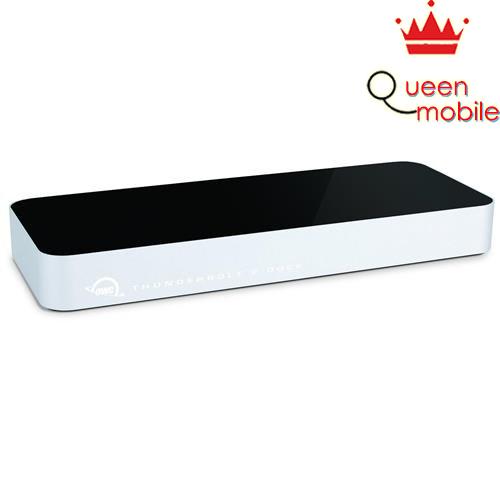
Thông tin sản phẩm:

RIGHT SIDE REAR

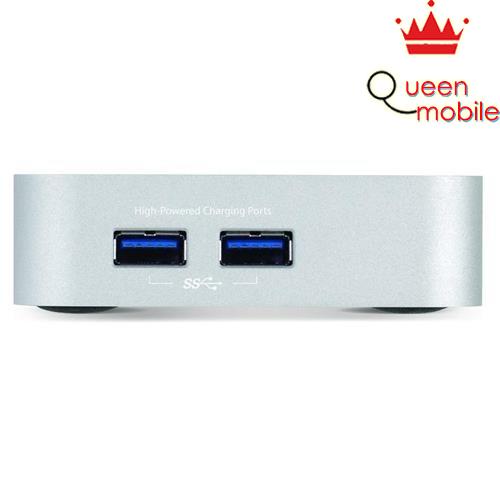
 (5) Fully-Powered
USB 3.0 portsFive ports for all of your USB accessories, including two high-power ports for fast device charging
 (1) FireWire 800 portConnect and daisy-chain popular external storage solutions and audio interfaces.
 (2) Thunderbolt 2 portsConnect up to five devices plus a display. Provides up to 20 Gb/s of bandwidth.
 (1) HDMI and 4KSupport for 4K resolution and standard HDMI displays, televisions, or projectors.
 (1) Gigabit EthernetA full-speed Gigabit Ethernet port adds wired support for newer Mac notebooks.
 (1) Audio In (mono)Connect a microphone or any other line-in audio source.
 (1) Audio Out (stereo)Plug in your favorite headphones, speakers, monitors, or other gear.
Need eSATA?Add an eSATA port to Thunderbolt 2 Dock with this NewerTech eSATA to USB 3.0 adapter.
Finally, a Thunderbolt Dock Done Right
12 Ports of phenomenal flexibility, all united to your Mac with just one lightning-fast Thunderbolt 2 cable. OWC Thunderbolt 2 Dock is the new foundation for your perfect workspace. Awesome performance meets incredible connectivity, the OWC Thunderbolt 2 Dock offers the ultimate in convenience and flexibility to streamline any workflow. With just one Thunderbolt cable, connect up to five USB 3.0 devices, Gigabit Ethernet, a FireWire device, HDMI, audio in, and audio out.
The Amazing Performance of Thunderbolt 2
Capable of an astounding 20 Gbps of throughput, the OWC Thunderbolt 2 Dock utilizes this phenomenal bandwidth to eliminate data bottlenecks, and effortlessly supports direct connection of up to ten devices, as well as daisy-chaining five additional Thunderbolt devices.
Connect More Displays
Configure the ultimate display setup to meet the needs of your workflow. Add a dazzling ultra HD 4K display, two high definition displays, or one 4K display and one high definition display. Even connect a VGA, DVI, or DisplayPort monitor utilizing the Thunderbolt 2 Dock’s built-in HDMI and Thunderbolt ports.*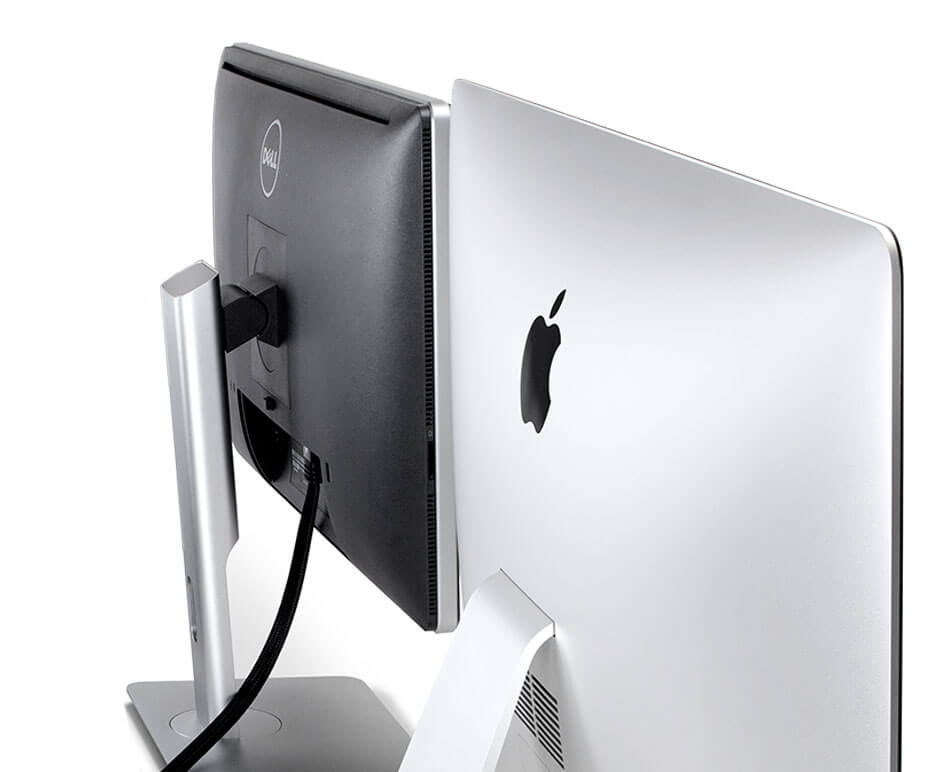
More Power to Work
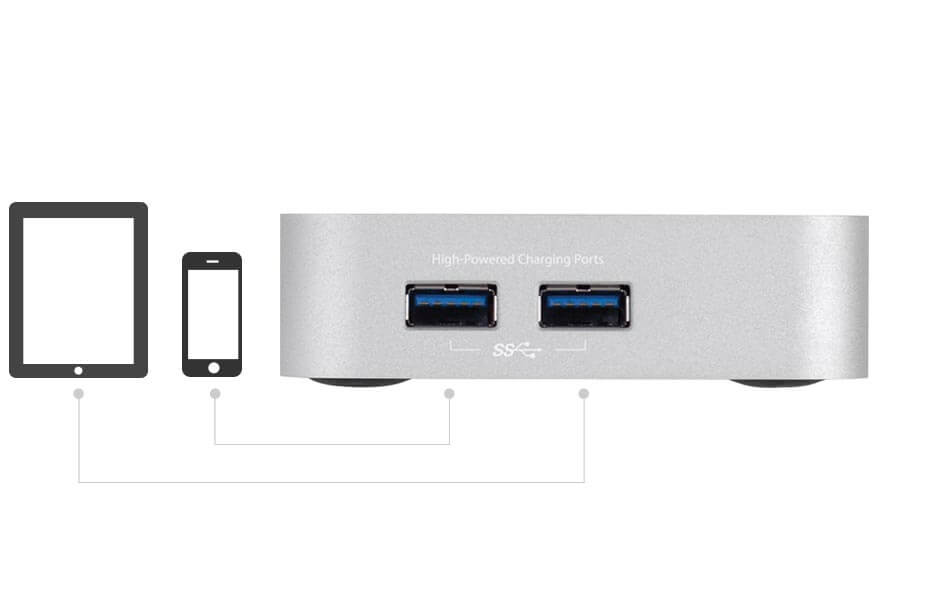
The Thunderbolt 2 Dock features 5 fully-powered USB 3.0 ports for powering hard drives, SSDs, or optical drives, including 2 side-mounted, high-powered ports providing up to 1.5 Amps of power – perfect for charging iPhone, iPad, tablets, smartphones, and other USB-charged devices.
Everything You Need in a Dock. And More.
The OWC Thunderbolt 2 Dock is the unmatched expansion platform for your Thunderbolt-equipped Mac, with exceptional connectivity, and dependable performance. Whether adding USB 3.0 to an older Mac, Gigabit Ethernet to a newer MacBook Pro, or ensuring backwards compatibility with your existing FireWire 800 peripherals, the Thunderbolt 2 Dock keeps you connected.*Dual monitor support requires the use of at least one Thunderbolt display. If you connect a display to the HDMI port, then the only display that will work through the Thunderbolt port is a Thunderbolt display. If you are not using the HDMI port, then you can use a Mini Display Port cable or adapter to connect a display to the Thunderbolt port.
Thông tin mua hàng:
Mua ngay: Bộ chia thunderbolt OWC Thunderbolt 2 Dock