
 0918006093
 Tin tức
 Khuyến mãi
 IPHONE
 IPAD
IPAD


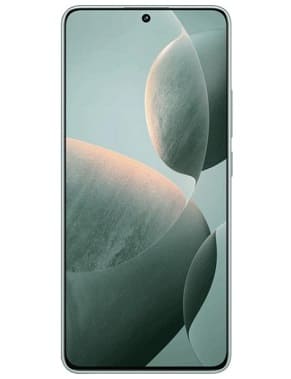
Tải về File Flash Firmware Redmi K70E (Stock ROM) ngay hôm nay!
Th12
Tập tin Firmware Flash Redmi K70E (Stock ROM)
Bài viết này giới thiệu về việc tải firmware gốc cho Xiaomi Redmi K70E, được sử dụng để sửa các vấn đề như treo logo, khóa frp, chế độ fastboot, hiển thị trắng hoặc trắng sau khi flash, thiết lập lại không hoạt động, chết sau khi flash vv. Ngoài ra, bài viết cũng cung cấp thông tin về danh sách firmware cũng như các liên kết tải về cần thiết. Tóm lại, bài viết này cung cấp hướng dẫn chi tiết cách flash cho Redmi K70E sử dụng MI Flash Tool.

Download Stock Firmware/ Flash File for Xiaomi Redmi K70E:
The term Stock Firmware describes the version of the operating system that the device’s manufacture pre-installs. It is the original firmware that comes with a device and can be used to return it to its default settings.
Redmi K70E Stock Firmware is useful for fixing issues such as hang on Logo, frp lock, fastboot Mode, display Blank or white after flash, dead recovery, dead after flash etc. Stock ROMs are often specific to a particular device and are not interchangeable between different devices.
Note:
- make a backup before Process
- it will erase all your data Including Internal Storage
Firmware Information: |
|
|---|---|
| Device Name | Redmi K70E |
| ROM Type | Full ROM |
| SoC | Mediatek |
| OS | Android 13 |
| Password | Null |
| Root Access | No |
| Region | check below list |
| Firmware Version | check below list |
Downloads Links:
Available Fastboot/EDL ROM:
Flash Tools:
- Xiaomi MI Flash tool: Download
- Contact Me for Mi Flash tool Login, unbrick, FRP, Reset, Region Change & root (paid)
usb Driver:
How to Flash Redmi K70E using MI Flash Tool:
- Download and Install Xiaomi driver on your computer
- Download Extract & Install MI Flash
- Run MI Flash
- go to setting and set device platform
- Click ‘Select” & Select Extracted Fastboot ROM folder

- Plug the phone to computer in EDL Mod (Volume up down + usb, if not work then test Point)
- Click ‘REFRESH‘ to detect usb Port
- Click ‘FLASH’
- a login popup will open, login with your Mi service center ID
- Wait until success. once done, disconnect device & switch it ON

test Point Pinout for EDL Mod:
coming soon….
Read also: